madoly
A launcher and a glanceable day for your Mac.
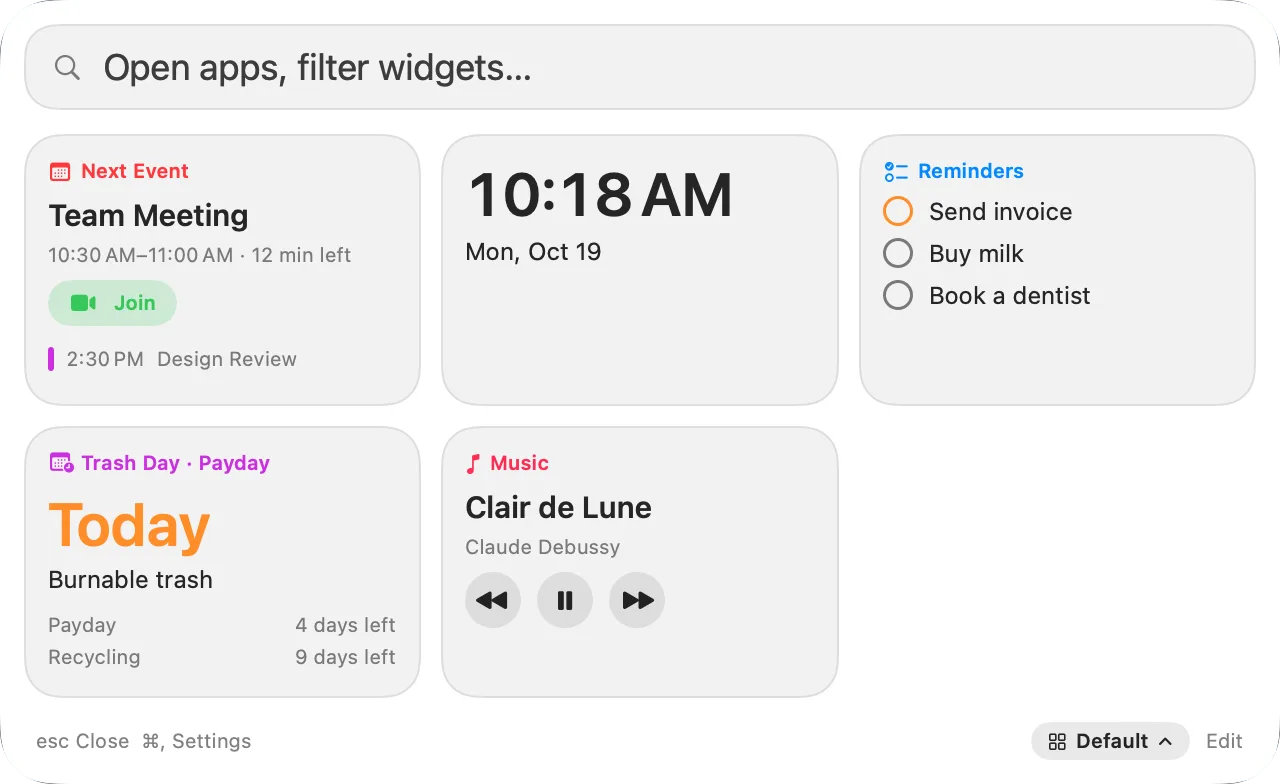
Press Option + Space for a panel with today’s events, reminders, and the days left until what matters. Type a name to open any app, setting, or shortcut.
What it does
- Open apps, System Settings, and Shortcuts by name or initials
- Events (join meetings in one click), reminders (check them off in place), and countdowns to trash day, payday, or deadlines
- Memo, number, and progress cards you write yourself
- Values from public data such as exchange rates and service status pages
- Add, remove, and reorder cards right on the panel
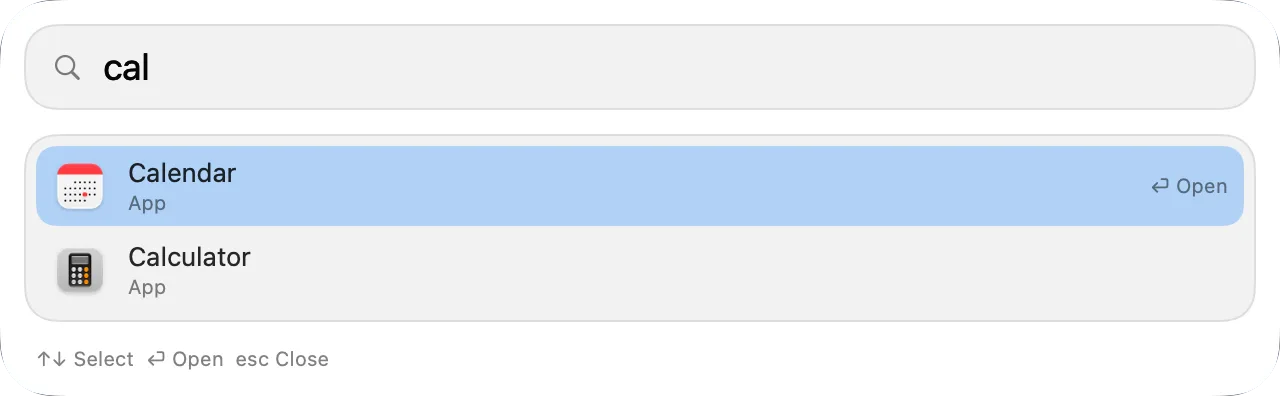
Weather and Japanese holidays are available in Japan.
Price
Free to download. The launcher and up to 3 cards are free forever.
The Full Version (a one-time in-app purchase) lets you add as many cards as you like and use My Sets to switch between sets of cards. You can try every feature free for 14 days.
Requirements
macOS 26 or later on a Mac with Apple silicon.
Support
For bugs or requests, send an email.
FAQ
The panel doesn’t open
Check the shortcut in Settings (Madoly in the menu bar › Settings…). ⌘ Space works once you turn off the Spotlight shortcut.
Events or reminders don’t appear
Allow Madoly in System Settings › Privacy & Security › Calendars / Reminders.
I bought the Full Version on another Mac
Click “Restore Purchases” in the Full Version section of Settings.
Privacy
Madoly doesn’t collect any information about you. Privacy Policy